What Your PMP Provisional Pass at the Test Center Actually Means
By ExamDumpster Editorial Team· (updated Oct 21, 2026)
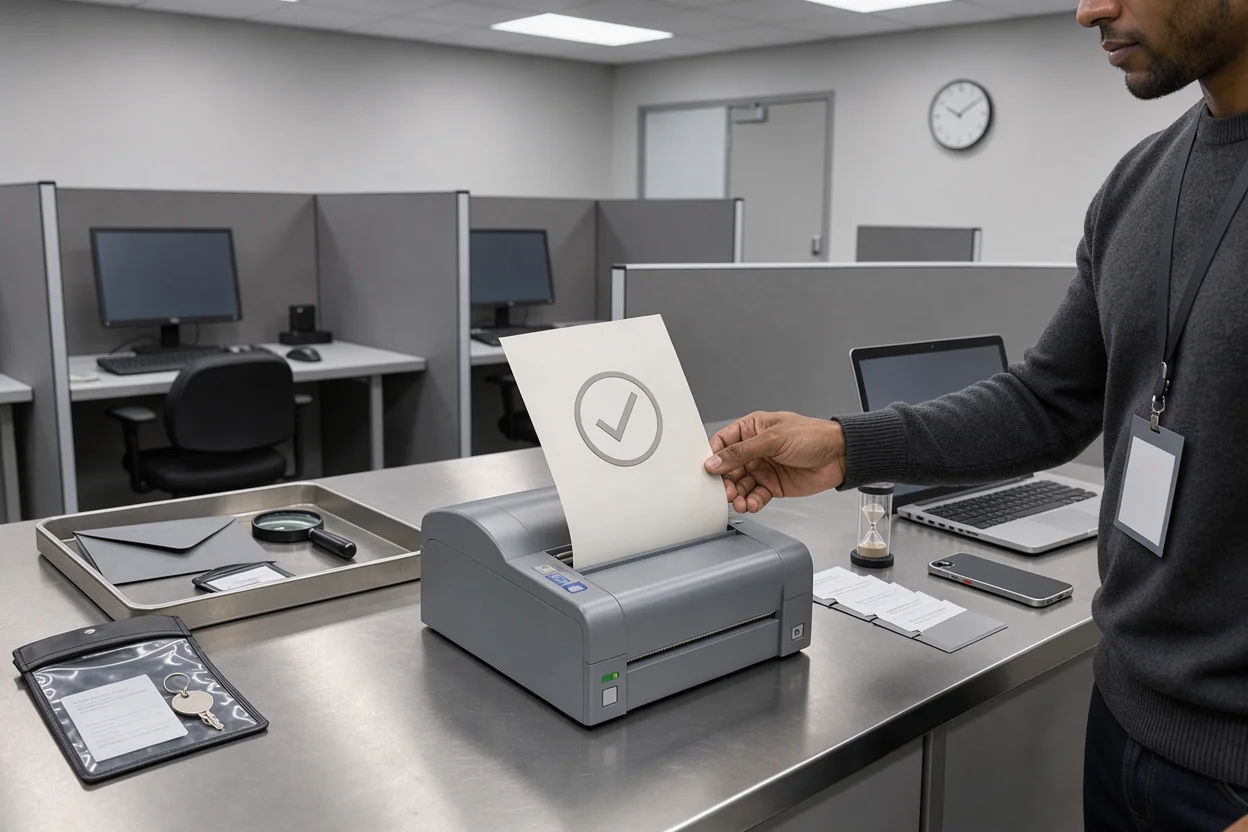
The PMP preliminary pass notification test center staff hand you means your initial exam result indicates a pass, subject to final confirmation. That is encouraging news after a demanding exam. The remaining task is to distinguish the preliminary notice from your official result and confirmed certification status. This guide explains what the printout establishes, how Pearson VUE and PMI fit into the process, and what to do if your paperwork, email, and account show different information.
A preliminary pass describes your result at an intermediate stage
A provisional pass is a positive initial outcome with a qualification: final confirmation remains pending. Read both parts together. The word pass communicates the initial outcome; provisional describes its status.
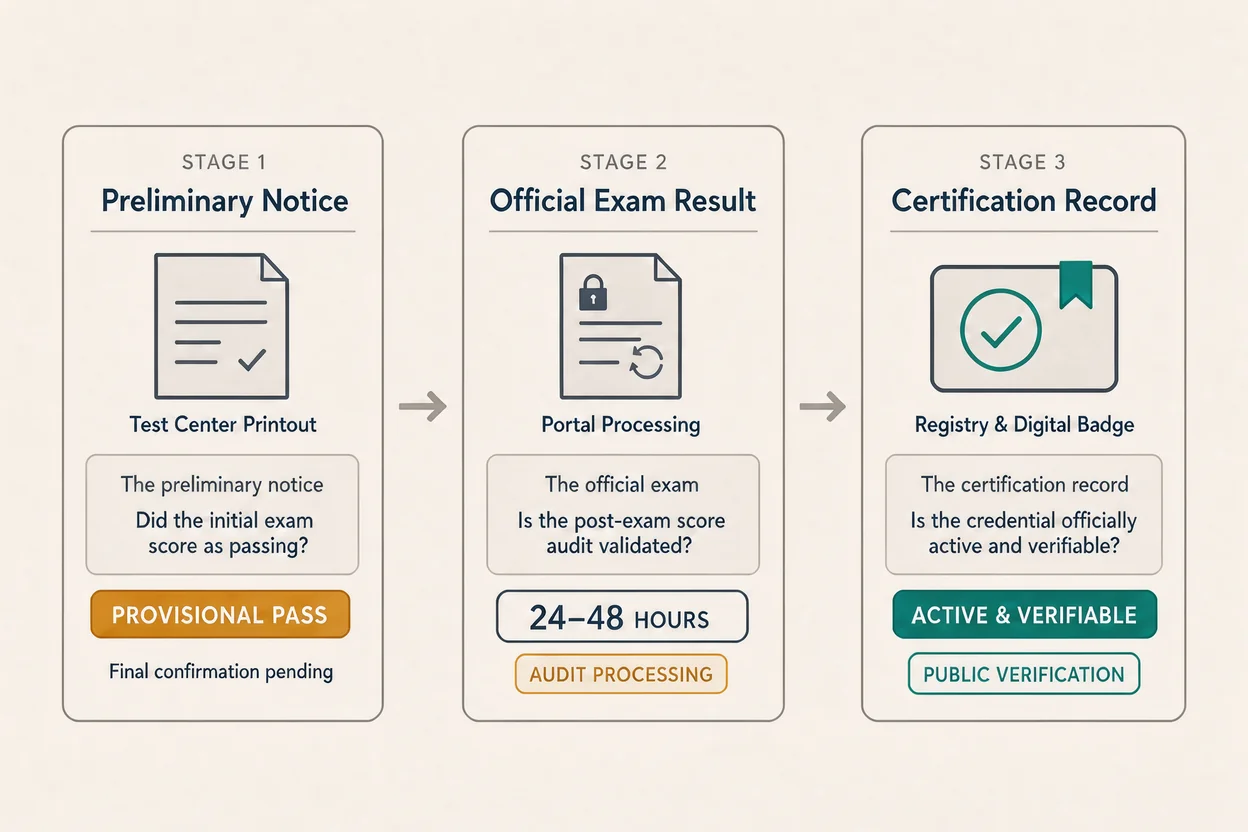
Candidates often use preliminary and provisional interchangeably in conversation. When discussing your own attempt, use the exact term on your notice. That keeps your description aligned with the document you received.
Three records matter during this period:
- The preliminary notice communicates the initial outcome of your exam attempt.
- The official exam result communicates the confirmed outcome.
- The certification record establishes the credential status you can verify through PMI.
These records answer different questions. A notice can show a preliminary pass while you are still waiting for confirmation elsewhere. An email can alert you to an update, but you should still read the underlying result.
For example, suppose you leave the center with a preliminary pass notice and find no corresponding update in your account that evening. The facts are limited: you received a positive initial result, and you have not yet located final confirmation. The account view alone does not explain the gap.
You do not need to interpret every missing document as a setback. You do need to keep the distinction between an initial outcome and confirmed status clear. Retain the notice until you can reconcile it with your official record.
Pearson VUE and PMI have different responsibilities
For your PMP attempt, Pearson VUE handles exam delivery, while PMI is the organization behind the Project Management Professional credential. That division helps you identify which question needs answering.
A delivery question concerns the appointment or testing experience. You might need clarification about checkout paperwork, an interrupted session, or an incident recorded at the center.
A certification question concerns the official outcome or credential record. A preliminary notice by itself cannot explain why a PMI account has not updated or establish when certification confirmation will appear.
Center staff can address what happened locally and explain the paperwork available at checkout. Their assistance should be understood within that role. For an unresolved certification status, seek clarification through PMI’s official support channels.
There is also a separate category: practice performance. Saved attempts from Exam Dumpster’s PMP practice questions describe how you performed on those practice sets. They cannot validate or overturn an official exam outcome.
The preliminary notice also does not disclose every internal scoring or validation step. Avoid building an explanation around an imagined manual regrade, hidden percentage threshold, or special investigation. None of those conclusions follows from the word provisional.
When requesting help, identify the issue precisely: missing appointment paperwork, an unresolved official result, or a credential record that needs clarification.
Read the printout for its actual wording and instructions
Your preliminary notice is most useful when you read the whole document, including any qualification beneath the result. A large pass message can draw your attention away from the instructions that explain what happens afterward.
Confirm that it describes your attempt
Check the identifying details printed on the notice, where present. Look for your name, the exam, the appointment date, and any candidate or appointment identifier.
A document mismatch needs clarification before you rely on the result. Keep the original paperwork and describe the discrepancy accurately to support. Avoid editing a copy to make the information appear correct.
Then read the result wording literally. A preliminary pass establishes a positive initial outcome. If the notice contains additional instructions, those instructions deserve the same attention as the result itself.
Any processing window should remain attached to its stated conditions. Preserve whether the document says calendar days or business days, and what event starts the count. Do not silently convert one into the other.
Separate performance feedback from certification status
If your report includes performance feedback, read it according to the labels and explanation provided. Do not assume a category is a raw percentage or that several categories can be averaged into an overall score.
Feedback and status have different purposes. Feedback can help you understand the performance information reported for the attempt. Status tells you whether the result is preliminary, confirmed, or otherwise unresolved.
Likewise, a short preliminary notice may contain less detail than a later report. Its length does not establish how comfortably you passed or how quickly confirmation will arrive.
Save a legible copy of the entire document. Keep its instructions available alongside the result so you can quote the exact wording if a support question arises.
An unchanged dashboard cannot tell you why confirmation is pending
A PMI account that has not yet reflected your preliminary result gives you an incomplete picture. It does not, by itself, identify a scoring problem, a transmission issue, or a review.
The useful response is to compare the records you have and follow the reporting instructions tied to your appointment.
Use the reporting window that applies to your notice
Use the processing window stated on your notice or in current PMI guidance for your exam. A waiting period described in an older discussion may concern different circumstances.
If you have a stated deadline, record it once. Check for the result at sensible intervals instead of treating every refresh as a new event.
When the applicable window has passed, prepare a focused support request. Include the exam date, appointment details, exact preliminary wording, and the status currently visible in your account.
If no reporting window is provided, ask PMI what timeframe applies. A direct question is more useful than selecting a deadline from an unrelated candidate’s experience.
Match every update to the same exam attempt
Before treating two records as contradictory, check that both concern the same appointment. This is especially useful if your account contains earlier attempts or you have several scheduling emails.
An appointment confirmation establishes that a session was scheduled. A preliminary result describes the initial outcome. A final report communicates the confirmed result. Read each document for the information it actually contains.
A simple interactive checklist could help organize this comparison. It would track the exam date, notice wording, stated reporting deadline, final-result status, and any support case number.
Keep that record factual. If you contact support again, update the existing case information and preserve the response you receive.
Missing paperwork and conflicting results require different responses
A missing preliminary notice, a delayed account update, and an explicit disagreement between results are separate situations. Describe which one you have before requesting a remedy.
You left without a preliminary notice
The absence of a printout leaves a documentation question. It does not establish an exam outcome.
If you are still at the center, ask staff what result documentation is available for your appointment. If you have already left, use the official appointment or support channels to clarify how to obtain the relevant record.
Keep your appointment confirmation and any incident reference. Record what staff told you as accurately as possible, while keeping verbal information separate from the written result.
Avoid paying for another attempt simply because you left without paperwork. Establish the official outcome first.
Your preliminary notice and official result disagree
An explicit difference between the preliminary notice and a later official result deserves prompt clarification. Preserve both documents before opening a support case.
Explain the discrepancy plainly. State what the preliminary notice says, what the later record says, and when you received each one. Ask PMI to confirm the final outcome and explain any available review process.
A useful request stays focused on the records. Reconstructing individual exam questions from memory will not resolve which status applies to your attempt.
Until the discrepancy is explained, communicate your status with the qualification still attached. Keep any support reference with the two result documents.
You receive a request for additional information
Read the request before deciding what it means. A request for eligibility documentation raises a different question from a request concerning an exam session.
The word audit alone does not establish the scope, reason, or likely outcome of a review. A preliminary pass also does not establish that an audit has started.
Check who sent the message, what information it requests, and whether it gives a deadline. If you are uncertain about authenticity, verify the request through your existing official account or support channel.
Respond to the stated request and retain a copy. Ask for clarification when the required action is unclear.
Align résumé and workplace updates with confirmed status
Your preliminary pass gives you a useful update to share, provided you describe it accurately. Tell your manager that you received a preliminary pass and are waiting for PMI’s final confirmation.
That wording preserves the good news without implying that every confirmation step is complete. It also gives an employer a clear explanation if they ask for certification evidence immediately.
For a résumé, professional profile, email signature, or credential-dependent assignment, wait for confirmed certification status before presenting yourself as PMP certified. Use the confirmed record when entering credential details.
The same approach helps with reimbursement. An employer may ask for proof of attendance, an exam result, or evidence of certification. Those are different requirements. Ask which document the employer needs and provide the matching record.
Keep personal information in mind when sharing evidence. A result document may contain identifiers that a broad audience does not need. A public update rarely requires an image of the entire notice.
Once confirmation arrives, check the name and credential information before updating professional records. If something appears incorrect, preserve the confirmation and ask PMI how to correct it.
Store the preliminary notice, final result, and any relevant support correspondence together. That gives you a clear record if an employer later asks when the outcome was confirmed.
Questions candidates ask while confirmation is pending
The most useful questions during this wait concern the limits of the preliminary result and the action your current records support.
Can a preliminary pass change?
A preliminary result remains subject to final confirmation. Treating it as unconditional would remove the qualification printed on the notice.
That does not tell you how likely a change is. Candidate anecdotes cannot establish the odds for your attempt, and a waiting period alone does not predict the outcome.
If PMI communicates a different final result, request clarification through official support. Preserve the preliminary notice and ask what review options apply to the confirmed decision.
Does a missing email or badge mean I failed?
A missing email or badge does not establish failure. It tells you that the particular notification or artifact has not reached you or is not visible where you checked.
Look for the actual exam result and certification status. If an email says an update is available, read the corresponding record rather than relying only on the subject line.
When the official result is confirmed but another item is missing, describe that narrower issue to support. Include the confirmation details so the request concerns the missing item.
Should I keep studying or book another attempt?
Avoid making a new exam purchase while the outcome remains unresolved. A preliminary pass does not create a reason to begin a retake plan.
You can pause intensive preparation while following the instructions for confirmation. Keep your notes and existing study records until the final outcome is clear.
If PMI confirms an unsuccessful result and you choose another attempt, use the available feedback to identify what needs work. Exam Dumpster’s answer explanations can support a review of your reasoning during practice. Match any preparation material to the exam you intend to take.
Base the decision to reschedule on the confirmed outcome and applicable requirements. Keep the preliminary notice available until any discrepancy has been resolved.
PMP exam changes and study planning
Open a free sample set for their exam code, then create a free account to unlock the rest and save progress Get started |  |